

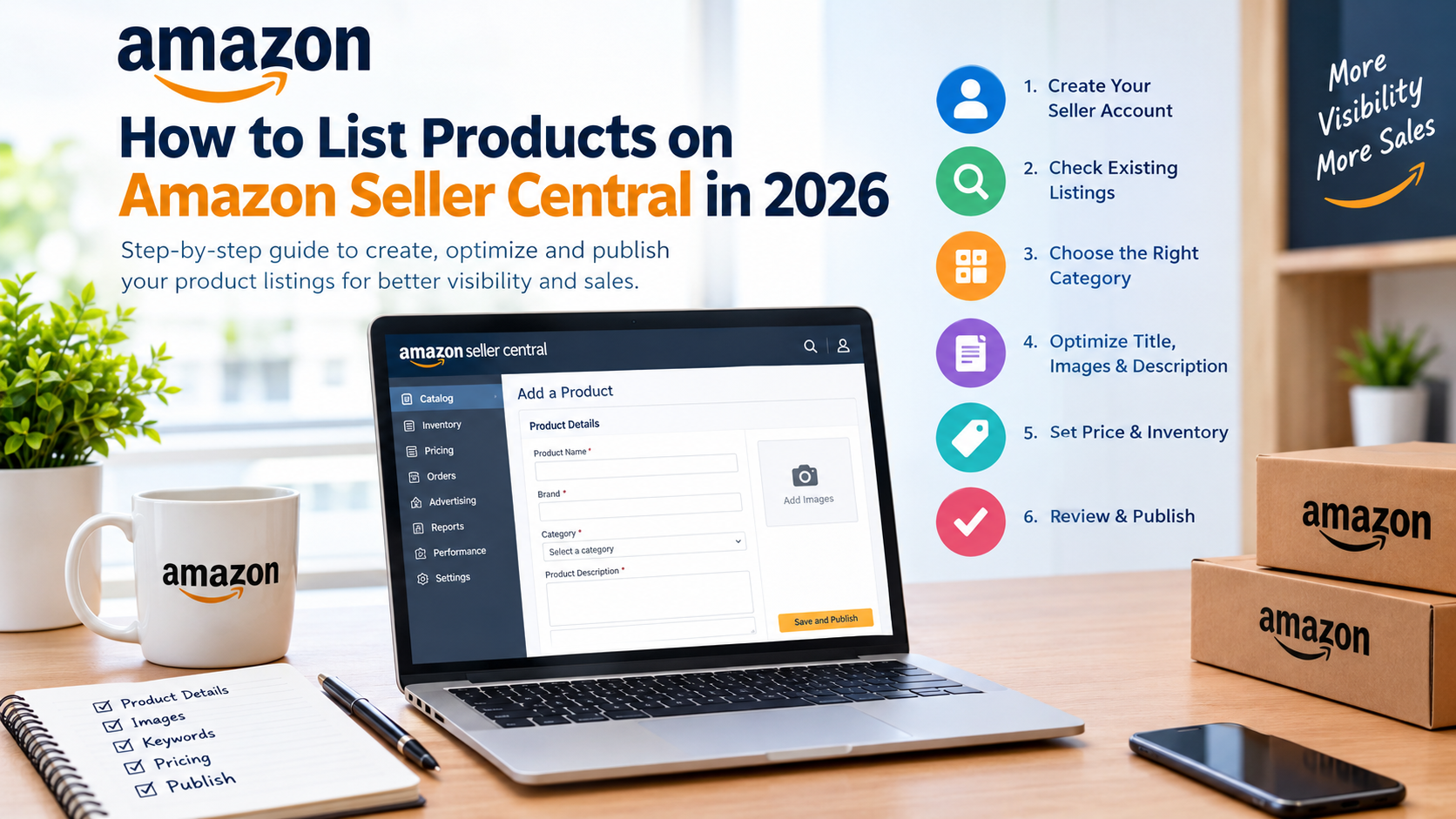
How to List Products on Amazon Seller Central in 2026
Learning how to list products on Amazon in 2026 is an important step for businesses that want to sell online and reach more customers. Amazon provides sellers with access to a large customer base, but simply uploading a product does not guarantee visibility, clicks, or sales. To build a successful Amazon business, you need accurate product information, relevant keywords, high-quality images, competitive pricing, and a well-optimized product detail page.
Whether you are a new seller starting your Amazon journey or an established business adding new products, understanding Amazon Seller Central can help you manage your catalog more effectively. From selecting the correct product category to writing an SEO-friendly title and publishing your listing, every step plays a role in how customers discover and evaluate your products.
In this guide, we explain how to list products on Amazon in 2026 through a practical, step-by-step process. You will learn how to create a new product listing, add images and descriptions, optimize your content for Amazon search, avoid common listing mistakes, and improve your chances of attracting buyers.
If you want professional assistance, Avisha Digital Services can help your business improve its Amazon catalog through Amazon product listing services and marketplace account management support.
What Is Amazon Seller Central?
Amazon Seller Central is the online platform where sellers manage their products, orders, inventory, pricing, advertising, and account performance. It allows businesses to create product listings, update existing information, and monitor their selling activities.
A product listing is the page customers see when they search for an item on Amazon. It typically includes:
-
Product title and brand name
-
Product images and videos, where eligible
-
Key product features and bullet points
-
Product description and specifications
-
Price, availability, and delivery information
-
Customer reviews and ratings, where available
A complete listing helps customers understand what you are selling and decide whether the product meets their needs.
How to List Products on Amazon in 2026: Step-by-Step Guide
If you want to understand how to list products on Amazon in 2026, follow these steps to create a listing through Seller Central.
Step 1: Create or Log In to Your Amazon Seller Account
Before listing products, you need an Amazon seller account for the marketplace where you intend to sell.
Visit the official Amazon Seller Central website for India and sign in to your account. If you are new to selling, complete the registration process and provide the requested business and identity information.
Depending on your business and product category, you may need details such as:
-
Legal name and business address
-
Contact information and identity verification
-
Bank account details for payments
-
Tax information, including GST details where applicable
-
Business or product documentation when required
Important: Amazon’s registration requirements can vary depending on your business type, location, and category. Check the current requirements in Seller Central before proceeding.
Step 2: Check Whether Your Product Already Exists on Amazon
One of the most important steps in learning how to list products on Amazon in 2026 is checking whether the product already has a detail page.
Amazon often has multiple sellers offering the same product on a shared listing. If your product matches an existing catalog item, you may be able to add your offer to that page instead of creating a duplicate.
To check:
-
Log in to Seller Central.
-
Open the product catalog or listing creation section.
-
Search using the product name, UPC, EAN, ISBN, or ASIN, as applicable.
-
Compare the brand, model, size, colour, and other identifying details.
-
Select the matching product if the information is accurate.
If no matching product exists, you may need to create a new product detail page.
Do not select an existing listing simply because the product looks similar. Incorrectly matching a product can cause catalog problems, customer complaints, and compliance issues.
Step 3: Choose the Correct Product Category
Amazon uses product categories to organize its catalog and help customers find relevant items.
For example, clothing may belong in the Clothing, Shoes and Accessories category, while kitchen utensils may belong in Home and Kitchen.
When creating a listing, choose the most appropriate category and product type.
Consider these factors:
-
The product’s primary purpose
-
Material, size, and intended use
-
Category-specific listing requirements
-
Required product attributes
-
Any applicable approval or restriction requirements
Some categories and brands may require approval before you can list products. Certain products may also have additional safety, labelling, or documentation requirements.
SEO tip: Selecting the correct product type helps you provide relevant attributes and improves the completeness of your product information. Category selection alone, however, does not guarantee higher search rankings.
Step 4: Add a Clear and SEO-Friendly Product Title
Your product title is one of the first things shoppers notice. It should explain what the product is and help customers identify the item quickly.
When deciding how to list products on Amazon in 2026, pay close attention to the title because it contributes to both customer understanding and product discoverability.
A useful title generally includes relevant information such as:
-
Brand name
-
Main product keyword
-
Product type or model
-
Important size, colour, quantity, or material details
Example of a product title:
ABC Cotton Bedsheet Set, King Size, Floral Print, 3 Pieces, Blue
This title communicates the product type, material, size, design, and quantity without unnecessary repetition.
Best practices for Amazon product titles
-
Use relevant search terms naturally.
-
Keep the title clear and easy to read.
-
Follow the current title rules for your category.
-
Avoid excessive capitalisation and promotional claims.
-
Do not repeat the same keyword unnecessarily.
-
Include only accurate product specifications.
Amazon’s title requirements can change and may differ by category. Review the current rules before publishing your listing.
Step 5: Add High-Quality Product Images
Product images help customers understand the appearance, quality, size, and features of an item before purchasing.
Your main image should follow Amazon’s image requirements for the relevant category. Additional images can show the product from different angles and demonstrate its features.
White Ceramic Coffee Cup Isolated on White Background.
Use a clear image that accurately represents the item and follows the applicable main-image rules. Many categories require a pure white background for the main image.
Show different angles, components, dimensions, packaging, and other useful details to help customers evaluate the product.
Where permitted, demonstrate the product in a realistic setting so customers can better understand its use and benefits.
Before uploading images, check the current technical specifications and category policies. Image requirements may cover background, image dimensions, product visibility, and permitted text or graphics.
Professional Amazon product listing services can help sellers organize product images and prepare listing assets that meet the applicable guidelines.
Step 6: Write Product Bullet Points and Descriptions
Your product features and description should explain why the product is useful and what customers can expect.
Avoid simply repeating the title. Instead, focus on the product’s actual features, practical benefits, and important specifications.
For example, if you sell a cotton bedsheet, your content might cover:
-
Material: State the actual fabric composition.
-
Size: Provide accurate dimensions.
-
Design: Describe the print and colour.
-
What’s included: Specify the number of pieces.
-
Care instructions: Explain how to maintain the product.
How to write effective bullet points
Each bullet point should focus on one useful feature or customer question. Use simple language and include relevant information that helps customers make a decision.
How to write an effective product description
A strong description should:
-
Introduce the product and its main purpose.
-
Explain its important features.
-
Include relevant measurements and specifications.
-
Answer common customer questions.
-
Set accurate expectations about use and care.
Keep all claims factual and verifiable. Avoid unsupported statements such as “best product in India” or guarantees that you cannot substantiate.
Step 7: Add Product Identifiers and Required Attributes
Product identifiers help Amazon identify and organize items within its catalog.
Depending on the product and category, you may need information such as:
-
UPC, EAN, ISBN, or another accepted product identifier
-
Brand name
-
Manufacturer or model number
-
Product dimensions and weight
-
Material and colour
-
Country of origin, where required
-
Safety or compliance information, where applicable
Some eligible products may qualify for a GTIN exemption. However, an exemption is not automatically available to every seller or product.
If you do not have a standard product identifier, review Amazon’s current GTIN exemption rules before creating the listing. Never use another product’s barcode or identifier.
Step 8: Set Your Price and Inventory
Your product needs accurate pricing and available inventory before you can successfully sell it.
When deciding your selling price, consider the following costs:
-
Product manufacturing or purchase cost
-
Packaging and preparation
-
Amazon selling fees
-
Shipping and fulfilment costs
-
Advertising expenditure
-
Taxes and other operating expenses
For example, if your product costs ₹300 and your total additional costs are ₹150, a selling price of ₹500 would leave ₹50 before any other unaccounted costs.
This is a simplified example, not a complete profitability calculation. Your actual margins depend on your fees, taxes, fulfilment method, and other expenses.
In Seller Central, enter the required offer details, including price, available quantity, and fulfilment information.
Choose the appropriate fulfilment option based on your business needs and eligibility.
-
Fulfilment by Amazon (FBA): Amazon handles eligible storage, packing, shipping, and certain customer-service or return activities under its programme terms.
-
Fulfilled by Merchant (FBM): You manage fulfilment yourself or through your own service provider.
The best option depends on your product, margins, inventory, delivery requirements, and operational capacity.
Step 9: Review and Publish Your Listing
Before publishing, review every field to ensure the listing is complete and accurate.
Use this checklist:
Submit the listing and check its status in Seller Central. Some listings may require additional processing, verification, or approval before they become available to customers.
If a listing is suppressed or inactive, review the account notifications and listing-quality information to identify the issue.
How to Optimize Amazon Product Listings for SEO in 2026
Creating a listing is only the beginning. To improve your chances of appearing in relevant Amazon searches, you must also optimize the product detail page for customer search behaviour and purchase intent.
If you are researching how to list products on Amazon in 2026, the following optimization practices can help you build stronger listings.
1. Conduct Amazon Keyword Research
Keyword research helps you understand the words customers use when searching for products.
For example, someone selling cotton bedsheets might research search terms such as:
-
Cotton bedsheet
-
King-size bedsheet
-
Floral bedsheet set
-
Cotton bedding for double bed
-
Printed bedsheets online
Choose keywords that accurately describe your product and match the search intent of potential customers.
You can research keywords using Amazon’s search suggestions, relevant search-term reports, and available keyword research tools. Where eligible, Brand Analytics can provide additional insights into customer searches.
Remember: Search volume alone is not enough. Relevant keywords that attract interested shoppers may be more valuable than broad keywords that bring unrelated traffic.
2. Optimize the Backend Search Terms
Amazon Seller Central may provide a search-terms field for relevant listing types. These terms can help Amazon understand additional ways shoppers might search for your product.
Follow the current field limits and category requirements when entering backend keywords.
Best practices include:
-
Add relevant terms that are not already adequately covered.
-
Include useful synonyms and alternate expressions.
-
Avoid irrelevant keywords and competitor brand names.
-
Do not repeat keywords unnecessarily.
-
Follow Amazon’s current search-term policies.
Backend search terms should support your listing rather than replace good product titles, bullet points, and attributes.
3. Complete All Relevant Product Attributes
Attributes such as size, colour, material, style, and compatibility can help customers narrow their search using filters.
Complete every applicable attribute accurately. Do not add specifications that your product does not have simply to appear in more searches.
A complete catalog can also make it easier to manage variations and reduce confusion between similar products.
4. Use A+ Content Where Eligible
Eligible brand owners may be able to use A+ Content to present additional product information through enhanced images, comparison charts, and structured content modules.
A+ Content can help explain product benefits and answer customer questions, particularly for products that need more detailed presentation.
It does not guarantee higher rankings or sales, but it can support the shopping experience when used effectively.
5. Monitor Listing Performance
After publishing your listing, review its performance regularly.
Pay attention to:
-
Impressions and search visibility, where available
-
Product page visits and click-through rates
-
Conversion rates
-
Sales and returns
-
Customer questions and reviews
-
Listing-quality alerts and policy notifications
If a product receives impressions but few clicks, examine its title, main image, pricing, and relevance. If it receives visits but few orders, review the product information, customer expectations, delivery offer, and price competitiveness.
Use available reports to identify the likely issue instead of making random changes.
Common Mistakes to Avoid When Listing Products on Amazon
Even a well-designed product can struggle if its listing contains errors. Avoid these common mistakes when learning how to list products on Amazon in 2026.
Duplicate Product Listings
Creating a new detail page for an item that already exists can cause catalog duplication. Check the catalog carefully before creating a new listing.
Keyword Stuffing
Repeating the same search term excessively can make your content difficult to read and may violate Amazon’s policies. Use keywords naturally in relevant fields.
Poor Product Images
Blurry images, misleading visuals, and missing product angles can reduce customer confidence. Use accurate, high-quality images that comply with Amazon’s image requirements.
Incorrect Product Information
Wrong dimensions, materials, quantities, or compatibility details can lead to returns and negative customer experiences. Verify specifications before publishing.
Ignoring Listing Suppression
A suppressed listing may not appear normally in customer searches. Review Seller Central notifications and resolve the underlying issue as soon as possible.
Setting Prices Without Calculating Costs
A product may generate orders without generating a profit. Calculate all relevant expenses before deciding on a selling price.
How Can a Marketplace Management Company Help You?
Managing Amazon listings becomes more complicated as your catalog grows. Sellers may need to update hundreds of product pages, maintain inventory, optimize keywords, manage advertising, and monitor account health at the same time.
A professional Marketplace Management Company can help organize these tasks and create a more consistent selling process.
Typical services may include:
-
Amazon seller account setup assistance
-
Product catalog creation and updates
-
Keyword research and listing optimization
-
Product image coordination and content development
-
Inventory and pricing monitoring
-
Amazon advertising management
-
Listing issue resolution and account-health support
-
Performance reporting and growth recommendations
These services can be particularly useful for businesses selling across multiple marketplaces, where each platform has its own catalog requirements and operating procedures.
Why Choose Avisha Digital Services?
Avisha Digital Services provides e-commerce and marketplace management support for businesses looking to improve their online selling operations.
Our Amazon-focused services can help sellers with product catalog preparation, listing content, keyword optimization, account management, and other marketplace activities, depending on their requirements.
We also support businesses managing accounts across platforms such as Amazon, Flipkart, Meesho, Myntra, and other marketplaces.
Whether you are listing your first product or managing an established catalog, the right process can help reduce errors and make day-to-day operations more manageable.
If you need assistance with product uploads, catalog optimization, or ongoing account management, visit Avisha Digital Services to explore the available services.
Internal Linking Suggestions for This Blog
To strengthen your website’s internal linking and help readers discover related services, consider adding these links where they naturally fit.
| Suggested anchor text | Recommended destination |
|---|---|
| Amazon Account Management Services | Your Amazon account management service page |
| Amazon Product Listing Services | Your relevant Amazon listing services page, if available |
| Amazon Account Management Services in Jaipur | Your Jaipur-specific Amazon service page |
| Amazon FBA vs FBM | Your blog comparing Amazon fulfilment methods |
| How to Improve Amazon Product Ranking | Your Amazon product ranking guide |
| Marketplace Management Services | Your relevant marketplace management page, if available |
Use descriptive anchor text and link only to relevant, existing pages. Avoid forcing every keyword into every paragraph, and make sure each blog targets a distinct search intent to reduce keyword cannibalization.
Conclusion: Start Listing Products on Amazon in 2026
Understanding how to list products on Amazon in 2026 can help you build a strong foundation for your e-commerce business. From choosing the correct category and creating an SEO-friendly title to uploading quality images and setting competitive prices, every step contributes to a better product listing.
However, publishing a product is not the final goal. You should continue monitoring listing performance, updating product information, researching relevant keywords, and improving the customer experience as your business grows.
If you manage multiple products or need help maintaining your catalog, professional Amazon product listing services can save time and help you follow a more structured approach.
Ready to improve your Amazon listings? Contact Avisha Digital Services to discuss your product catalog, listing optimization, and marketplace management requirements.
Frequently Asked Questions (FAQs)
1. How to list products on Amazon in 2026 for beginners?
To understand how to list products on Amazon in 2026, first register for an Amazon seller account. Then search for your product in the existing catalog, select the correct category, add product details and images, enter pricing and inventory information, and submit the listing. Check Seller Central for any additional requirements or listing errors.
2. Is it free to list products on Amazon in 2026?
Creating a product listing may not involve a separate listing-creation fee, but selling on Amazon can involve referral fees, fulfilment charges, closing fees where applicable, and other costs depending on your plan and product category. Review the current Amazon fee schedule for your marketplace before calculating profitability.
3. What information is required to list a product on Amazon?
The required information depends on the product category. Common requirements include the product title, brand, category, images, product features, description, price, inventory quantity, and relevant attributes. You may also need a GTIN or an eligible exemption, along with category approvals or compliance documents where applicable.
4. How long does it take to list products on Amazon in 2026?
A straightforward listing may be created in minutes once all the required information is ready. However, catalog processing, brand approval, category restrictions, product verification, and compliance checks can extend the process. The time needed also depends on the number of products you want to upload.
5. Can Avisha Digital Services help with Amazon product listings?
Yes. Avisha Digital Services can assist businesses with Amazon product listing preparation, catalog optimization, keyword research, and marketplace account management based on their requirements. Professional support can be particularly helpful when managing large catalogs or optimizing existing listings. Visit Avisha Digital Services to learn more about the available services.



Pingback: Amazon ACoS vs TACoS vs ROAS: Complete Guide 2026